
A day after Blackmagic Design finally pushed its new DaVinci Resolve 21 out of beta and into full release, the company is back with another update for its Fairlight Live audio mixer. This one is still a beta release, though, but it’s quite expansive in terms of the new features and improvements it is set to offer.
The biggest news here is that Fairlight Live will get a new fader-flip option that lets faders map to auxes. There are also new matrix and mix-minus send levels, new automatic ducking for talent, support for OSC, and plenty of other updates.
Here’s what you need to know.
Fairlight Live Beta 3 Update
Credit: Blackmagic Design
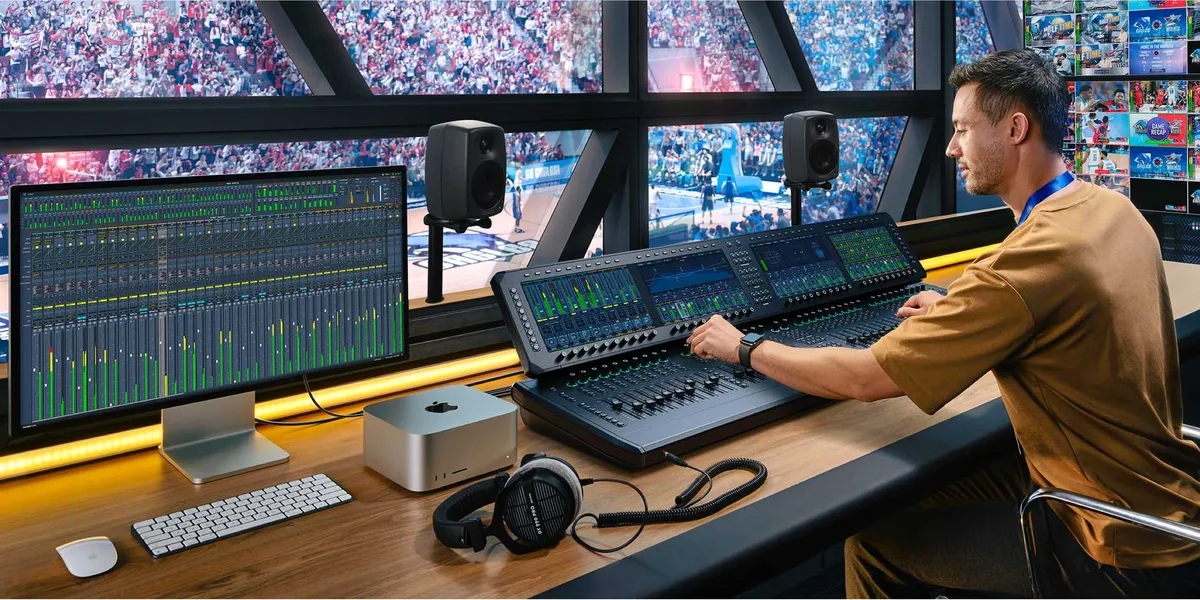
While the Fairlight Live audio mixer is a bit further removed from traditional filmmaking and video production needs, for those who work in live events or other hybrid roles that involve audio mixing, it’s a nice system to have access to within the Blackmagic Design family.
Fairlight Live is a software-based mixer that supports features such as spatial audio mixing and SMPTE-2110 broadcast workflows, and can handle thousands of audio channels, depending on your computer.
This update is quite significant, too, as it adds a ton of new features, improvements, and bug fixes across its range of workflows.
Full List of Updates
Credit: Blackmagic Design
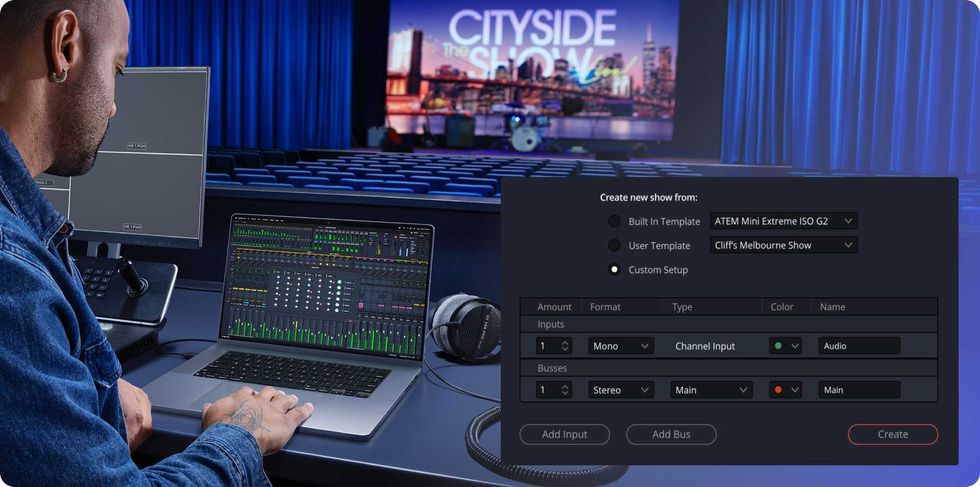
To get the full scope of updates, we’ve copied the list of updates coming to Fairlight Live with this new Beta 3 release. Here’s the full list of everything new.
Key Features
- Full-featured software-based broadcast mixer for high-end live audio.
- Supports hundreds of channels with wide format and complex mixes.
- Supports mono, stereo, LCR, 5.1 surround, immersive, and ASAF.
- Optimized low-latency operation on both macOS and Windows.
- Flexible redundancy with user-configurable multiple fail-safe levels.
- Direct ATEM connectivity via USB with automatic template support.
- Supports standalone use, Fairlight Live panels, or MCU consoles.
- Compatible with Core Audio, ASIO and 2110 interfaces.
- Native support for surround, immersive and spatial audio workflows.
- Snapshots save mixer state for recall during live performances.
- Virtual Sound Check ISO recording for rehearsal and calibration.
- Dedicated Cue Player for sound effects and stingers.
- MIDI cues to trigger external hardware such as lighting etc.
- Dedicated Cue Player for MIDI cues to external hardware.
- Extensive integration for Native, AU and VST plugins.
- Dedicated support for remote iOS and Android tablet controllers.
Broadcast and System Features
- Optimized for live broadcast and live production reliability.
- On Air mode prevents accidental control changes during live feeds.
- Direct routing, audio I/O and AFV control to ATEM via USB.
- Audio Follow Video syncs audio fades with video switcher transitions.
- Mix Minus busses remove commentator voices from return feeds.
- Extend on talkback to maintain communication during specific cues.
- Dual operation permits simultaneous physical and remote control.
- Customizable actions and programmable GPI/O for external triggers.
- A/B input for quick selection of an alternative redundant input.
- Backup processor mode for fail-safe hardware redundancy.
- Internal signal generator for calibration and testing.
Bus Types
- Support for dozens of main output mixes.
- Sub mix groups via direct patch and post fader.
- Aux mix groups pre and post fader with level and pan controls.
- Full mix minus support for talkback groups.
Channel Strip and Processing
- A/B input selection, remote gain, source patching and overall levels.
- Integrated compressor, gate or expander and limiter.
- Dedicated and integrated 6 band equalization interface per channel.
- High resolution level and dynamics metering displays.
- Dedicated Fader, Pan, Select, Mute and Solo controls.
- Integrated 1D, 2D and 2D panner with immersive workflow support.
- Mono style power meters for ambisonic channel level indication.
- Support for 4 plugins, plus ChainFX for up to 24 slots per channel.
- Fader flip control to reassign fader hardware to aux sends or gain.
- Spill control to expand grouped channels across fader banks.
- Input management of gain and delay for lip sync.
- VCA groups for single fader control of multiple channels.
Monitoring and Solo Logic
- PFL and AFL monitoring signals before or after the fader.
- Hybrid and Backstop PFL for advanced soloing from fader positions.
- Solo Inject and Outs allow dedicated routing for engineer monitoring.
Routing and Mixing
- Auxes and subs routing for independent monitor mixes.
- Secondary dialogs for level, pan and pre and post fader switching.
- Solo and Mute immediate channel isolation or silencing.
- Camera number selection for Audio Follows Video automation.
- Studio and control room monitoring support.
- Loudness meters and system status controls.
Channel Layout and UI
- Visual channel identifiers include color, number and custom naming.
- Full channel index list for renaming, reformatting and rearranging.
- Inspector for audio parameter controls including ASAF controls.
- High visibility meter bridge overview of all signal levels.
- Signal level meters including power meters for immersive audio.
Talkback
- Extensive and versatile talkback functionality.
- Integrated talkback communication routing for talent or crew.
- Talk direct to any channel.
- Mix Minus for quick instantiation and removal of clean feed busses.
- Status indicators for four independent talkback groups.
Four Operational Modes
- Primary mode for normal mixer operation.
- Failsafe offers backup and redundancy with 2nd machine support.
- Prep mode for offline creation of shows and reconfiguration offsite.
- Remote mode permits dual operators with segmented controls.
If you’re ready to dive in, you can find more info on downloading and installing on the company’s website here.